
For technical directors, production managers and crew chiefs who need one document that answers three questions: what is going to the venue, who owns it, and what does it draw and weigh. Start it at the quote stage and update it until the van is loaded.
What it catches
- Total power draw against the circuit you were told about.
- Weight and case counts that decide the vehicle, the lift and the number of crew at load-in.
- Kit with no owner, so nobody brings the spare.
- Hire items without a supplier and a collection time.
- Cables that exist in the plan and not in the van.
How to adapt it
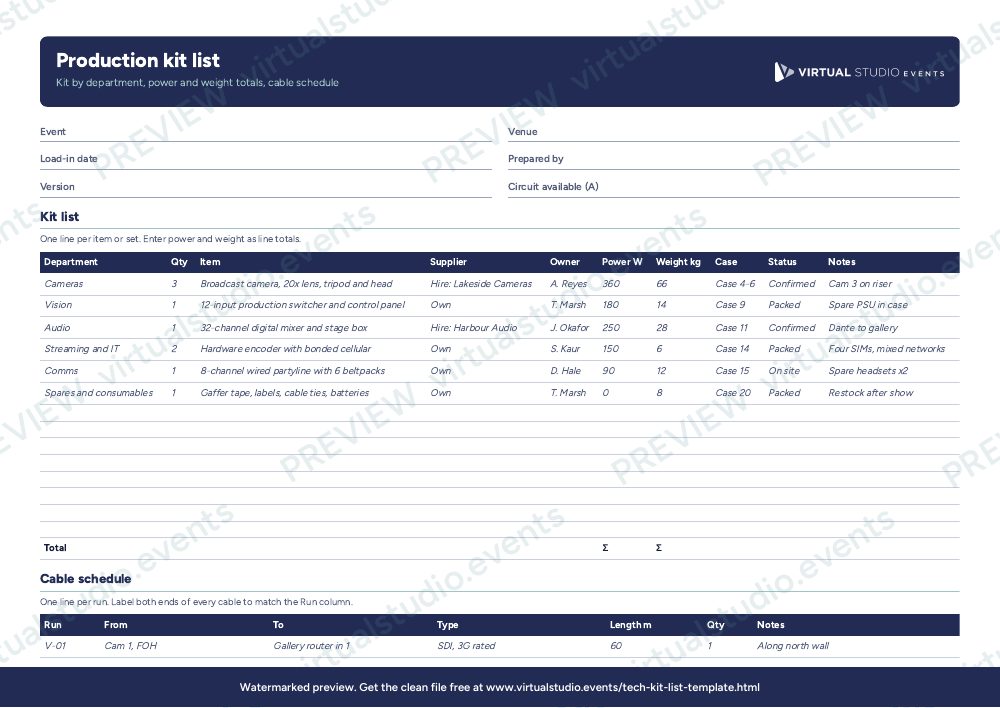
Group lines by department so each head of department checks their own list. Enter power and weight as the total for the line (quantity multiplied by the unit figure), because the totals row adds the column as it stands. Use the status column on show week: Packed before loading, On site after load-in, Returned after strike. Anything marked Missing goes to the top of the production manager's list. The cable schedule is the second sheet: give each run a name that matches the label on the cable, so the crew can find it in the dark.
Get the Excel file
The preview is free to look at and print. For the clean file, put your email in and we'll send a download link straight away.
Open the watermarked preview (PDF)Rather we did the paperwork?
Send the client brief and floorplan to Production Office and get back the kit list, signal flow, crew plan and schedule, checked by a broadcast engineer, with nothing of ours on it.