
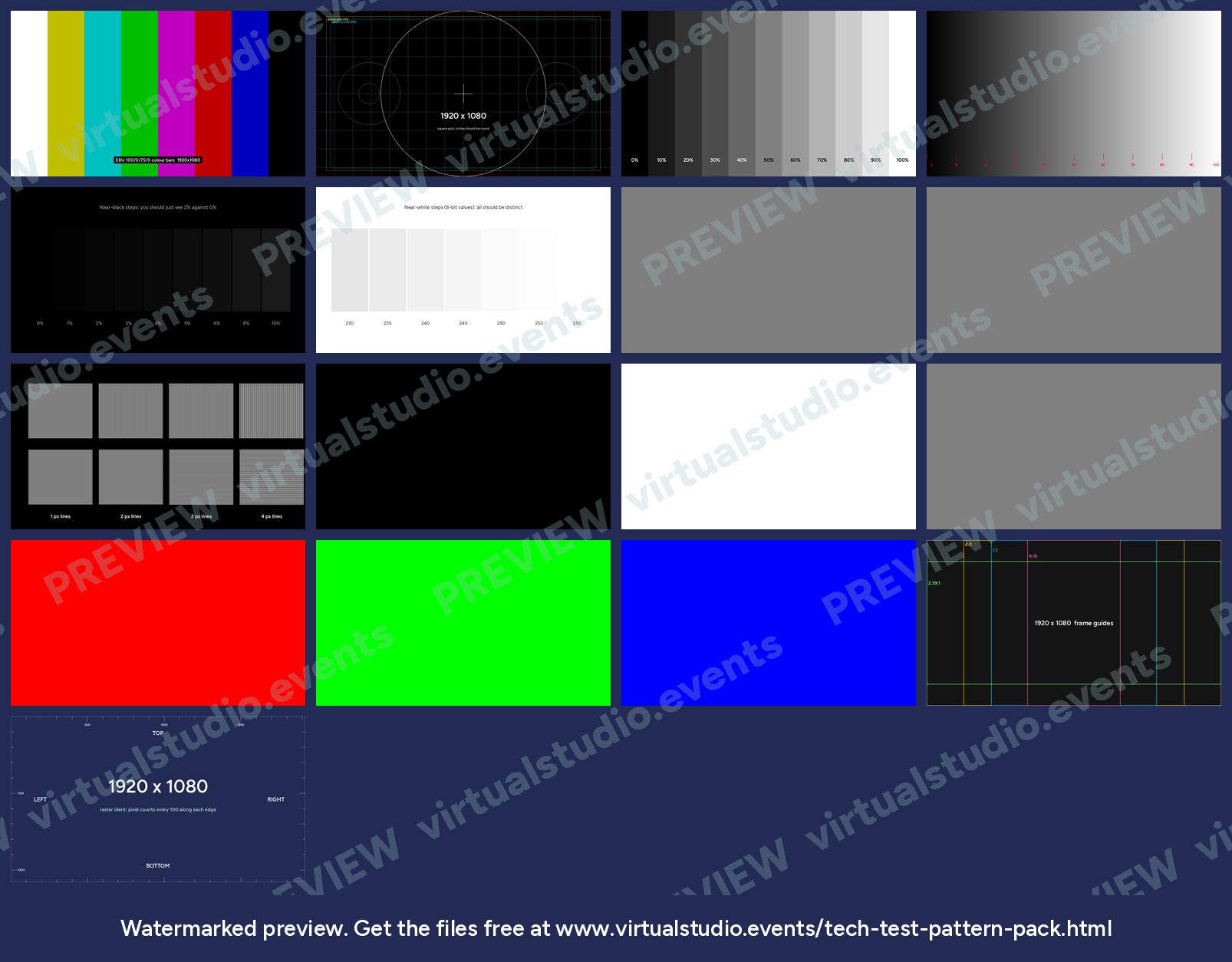
The patterns we put up first on every show: bars to prove the colour path, a crosshatch to prove geometry and cropping, greyscale and near-black steps to set screens, and pixel checkers to prove a route is pixel for pixel. Each one comes at 1280x720, 1920x1080, 1920x1200, 2560x1440, 3840x2160 and 4096x2160.
What's in the pack
- EBU 100/0/75/0 colour bars.
- Crosshatch with circles, a one-pixel border and EBU R 95 safe areas.
- 11-step greyscale, a smooth ramp, near-black steps (0 to 10%) and near-white steps.
- One- and two-pixel checkerboards and line pairs: the quickest way to catch scaling.
- Black, white, 50% grey, red, green and blue fields for dead pixels and seams.
- Aspect ratio guides (4:3, 1:1, 9:16, 2.39:1) and a raster ident with pixel counts along each edge.
Need an odd LED canvas, a multi-projector blend or a numbered grid? Use the free test pattern generator: it draws any size in the browser.
Get the files
The preview is free to look at. For the clean files, put your email in and we'll send a download link straight away.
Using them on a show
Play them from the source the show will use, at the show raster and frame rate: the media server, the playback machine or the presenter laptop. A pattern that looks right from a different source proves nothing about the route the show takes.
The PNGs are 8-bit, full-range RGB. Players and encoders map them to video range on output. If the near-black or near-white steps look wrong, check that mapping before you touch the screen settings.
Rather we did the paperwork?
Send the client brief and floorplan to Production Office and get back the kit list, signal flow, crew plan and schedule, checked by a broadcast engineer, with nothing of ours on it.