
For technical directors and production managers who set up intercom and radio on a conference, awards show or hybrid event. Fill it in when the crew list is settled and issue it with the call sheet.
What it catches
- Operators who can hear the director and cannot answer.
- A floor manager on a radio group that the gallery cannot reach.
- Presenters who have an IFB feed with the wrong mix on it.
- Two suppliers using the same radio channel in one building.
- No mobile number for the one person you need when the line drops.
How to adapt it
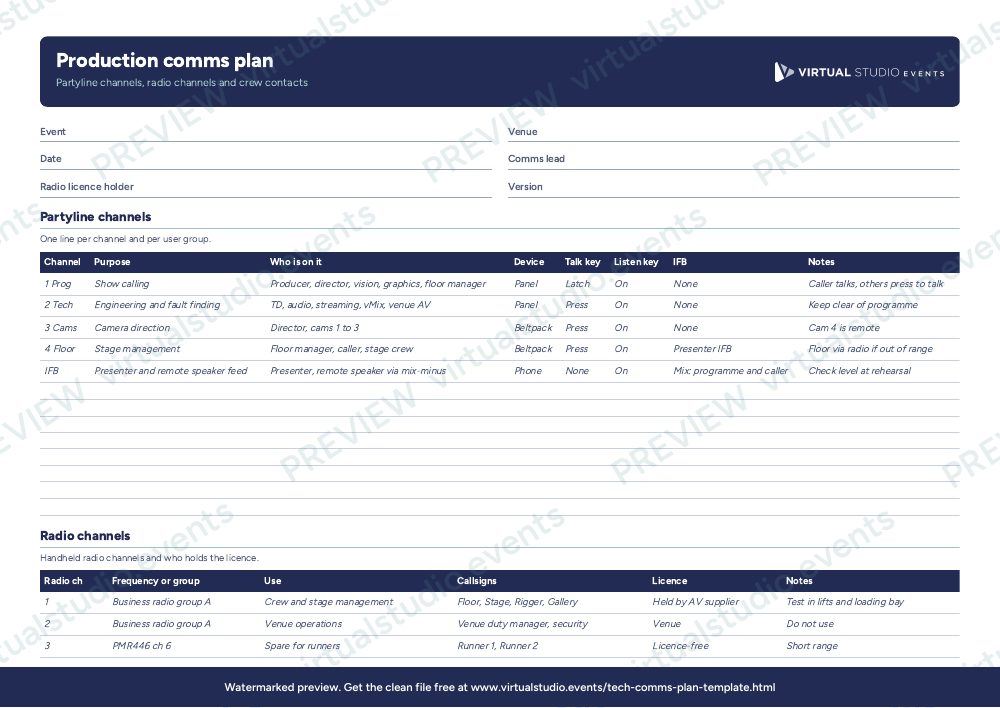
The first sheet lists each partyline channel, who is on it, what device they use and which keys they talk and listen on. Keep the number of channels as low as the show allows: a producer, director and vision team often share one, with a separate technical channel for engineering. The second sheet lists radio channels. In the UK, PMR446 handhelds are licence-free, while business radio on assigned frequencies needs an Ofcom licence and radio mics need their own coordination, so write down who holds each licence. The third sheet is the contact sheet. Print it and tape a copy to the gallery desk.
Get the Excel file
The preview is free to look at and print. For the clean file, put your email in and we'll send a download link straight away.
Open the watermarked preview (PDF)Rather we did the paperwork?
Send the client brief and floorplan to Production Office and get back the kit list, signal flow, crew plan and schedule, checked by a broadcast engineer, with nothing of ours on it.