
For show callers, producers and technical directors who call a live or hybrid event from the gallery. The run order tells everyone what happens and when. The cue sheet tells you what you will say, and what each department does when you say it.
What it catches
- A cue that two departments read differently.
- A graphic that is armed on the wrong page, because the page number was never written down.
- Playback with no standby, so the operator learns about the roll-in as it is called.
- Cues that stack too closely for one standby to cover.
- Calls that mean different things to the stage crew and the gallery.
How to adapt it
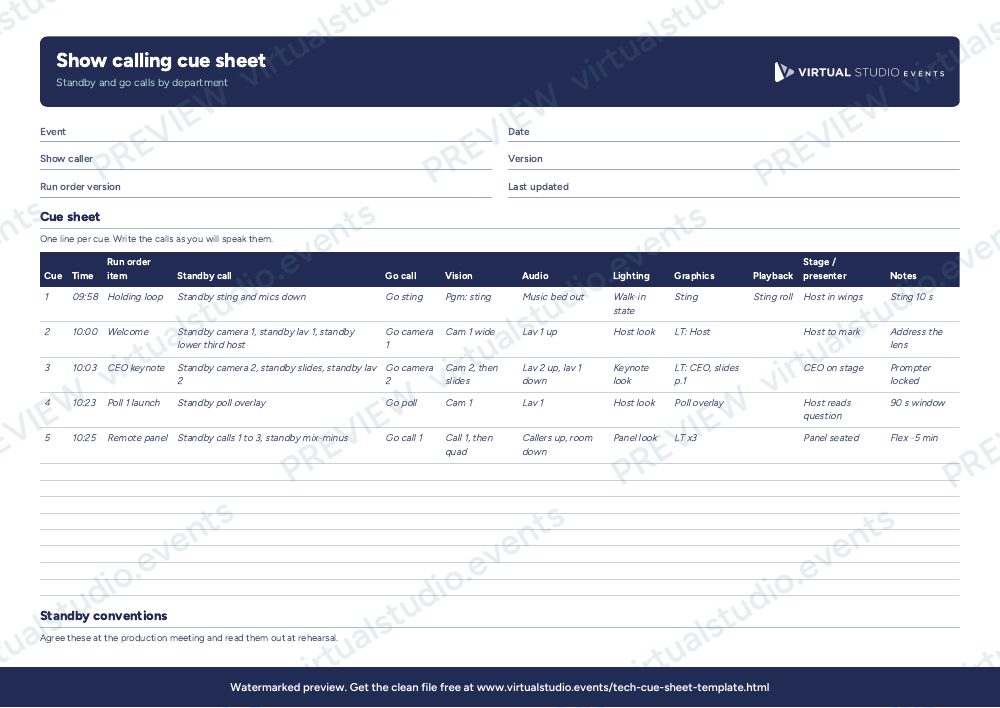
One line per cue. Write the standby and go as you will say them, in full, then mark the department actions in short form. On a simple vMix show you may only fill vision, audio and graphics. On a larger show add lighting and stage columns. Agree the conventions on the second sheet at the production meeting and read them out at the start of the rehearsal. Mark your own copy during the rehearsal, and bring the corrections into the next version before doors.
Get the Excel file
The preview is free to look at and print. For the clean file, put your email in and we'll send a download link straight away.
Open the watermarked preview (PDF)Rather we did the paperwork?
Send the client brief and floorplan to Production Office and get back the kit list, signal flow, crew plan and schedule, checked by a broadcast engineer, with nothing of ours on it.