
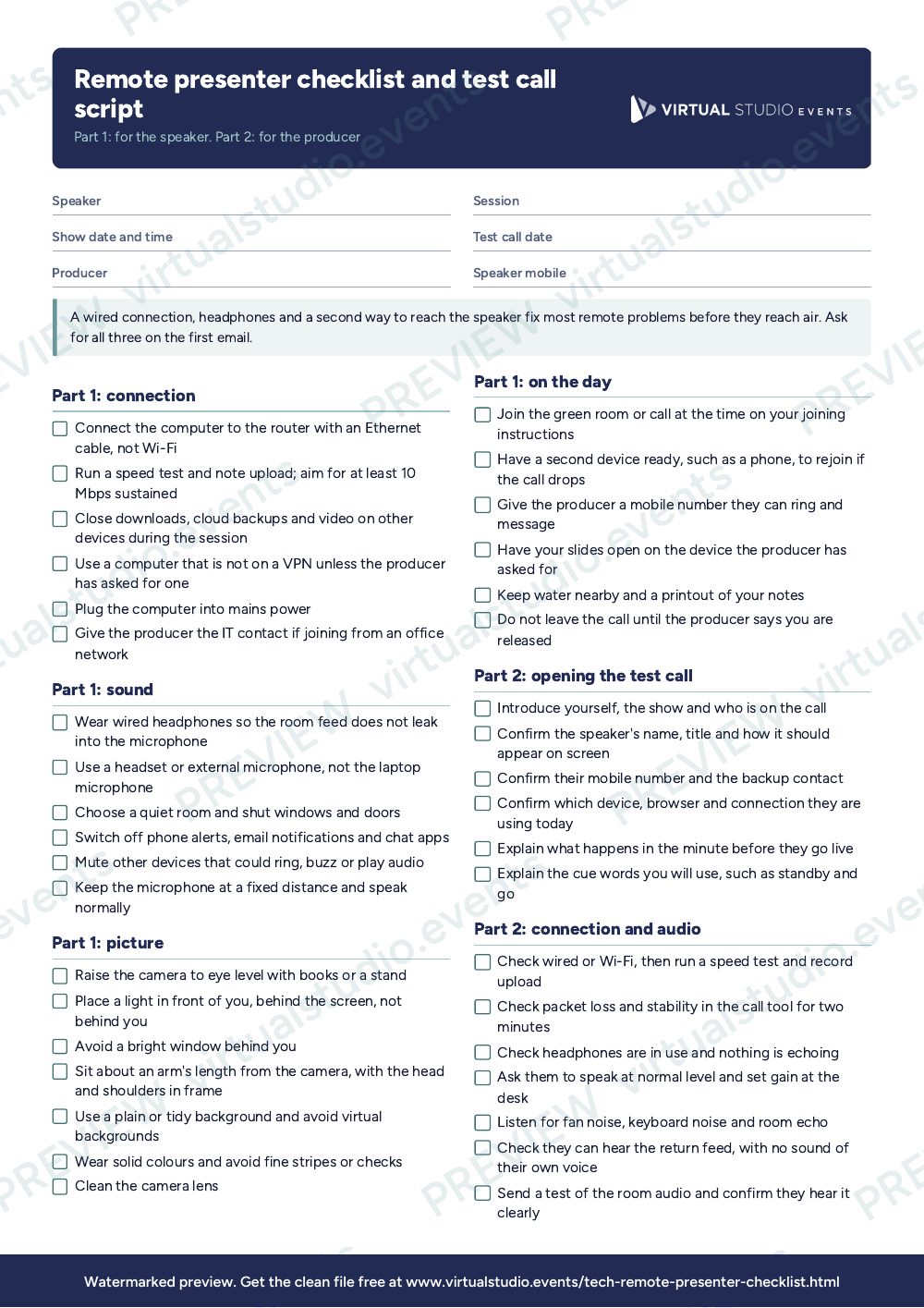
For speaker wranglers, producers and green room hosts who bring remote contributors into a live or hybrid show, and for the speakers themselves. Send part one to the speaker as soon as they are confirmed. Keep part two beside you for the test call, which belongs at least a week before the show and again on the day.
What it catches
- Wi-Fi that works for email and falls over under a live video call.
- Laptop speakers and microphone, which produce echo and a hollow sound.
- A webcam looking up the speaker's nose from a low desk.
- A window behind the speaker that turns them into a silhouette at 2 p.m.
- No second contact route when the call drops.
How to adapt it
Run the test call on the device and in the room the speaker will use on the day, not on a borrowed machine. If a speaker will join from an office, ask for the IT contact and test the corporate network, because firewalls block more than home broadband does. For a pre-recorded or phone-in contribution, use the audio and backup sections only. Keep the call to fifteen minutes, and make a note of anything you asked the speaker to change so you can check it again on the day.
Get the PDF
The preview is free to look at and print. For the clean file, put your email in and we'll send a download link straight away.
Open the watermarked preview (PDF)Rather we did the paperwork?
Send the client brief and floorplan to Production Office and get back the kit list, signal flow, crew plan and schedule, checked by a broadcast engineer, with nothing of ours on it.